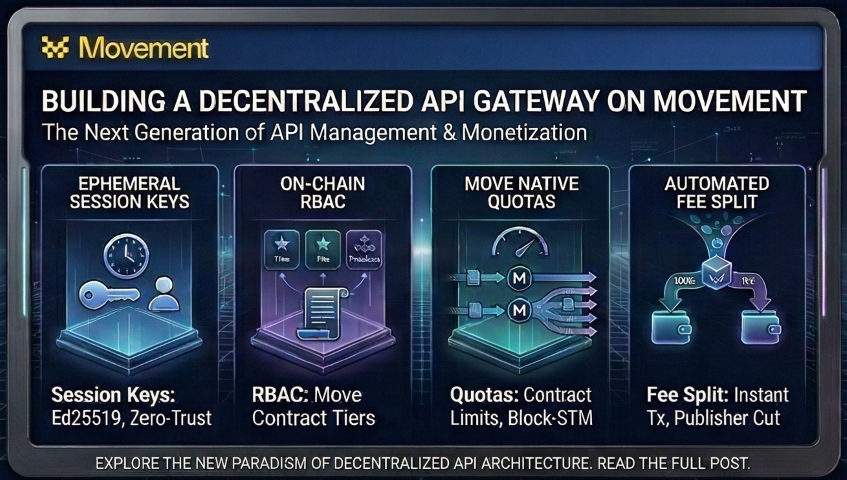
Part 5: Building the React Web3 Dashboard & Final Architecture Review
In the final part, we build a modern React frontend using Tailwind CSS v4 to interact with our gateway. We implement a seamless Web3 wallet handshake that securely generates in-memory ephemeral keys, completely sandboxing the user's primary private key from everyday API interactions. We wrap up by spinning up the entire monorepo, executing requests, and reviewing the complete end-to-end zero-trust architecture lifecycle.
6) React Frontend (Modernized with Tailwind CSS v4)
The frontend provides the interface for the API Gateway, featuring a fixed-position system console to prevent layout shifts, real-time metrics tracking, and Ed25519 session delegation.
6.1) Environment & Tailwind CSS v4 Setup
We use Tailwind CSS v4 for a high-performance, utility-first design system.
1. Install Dependencies:
npm install tailwindcss @tailwindcss/vite lucide-react
2. Create the Frontend Environment File:
Vite natively supports .env files. Variables must be prefixed with VITE_ to be exposed to the browser at build time.
Path: packages/frontend/.env
VITE_CONTRACT_ADDRESS=0xYOUR_CONTRACT_ADDRESS
VITE_RPC_URL=https://testnet.movementnetwork.xyz/v1
VITE_API_BASE_URL=http://localhost:8080
Why? Keeps sensitive and environment-specific values out of source code. This single .env file feeds a shared config module, so every component reads from one place.
3. Create the Shared Frontend Config:
Path: packages/frontend/src/config/aptos.ts
import { Aptos, AptosConfig, Network } from '@aptos-labs/ts-sdk';

export const RPC_URL = import.meta.env.VITE_RPC_URL || 'https://testnet.movementnetwork.xyz/v1';
export const CONTRACT_ADDRESS = import.meta.env.VITE_CONTRACT_ADDRESS || '';
export const API_BASE_URL = import.meta.env.VITE_API_BASE_URL || 'http://localhost:8080';

const aptosConfig = new AptosConfig({ network: Network.CUSTOM, fullnode: RPC_URL });
export const aptos = new Aptos(aptosConfig);
4. Configure Vite Plugin:
Path: packages/frontend/vite.config.ts
import { defineConfig } from 'vite'
import react from '@vitejs/plugin-react'
import tailwindcss from '@tailwindcss/vite'

export default defineConfig({
  plugins: [
    react(),
    tailwindcss(),
  ],
})
5. Initialize the Global Theme:
Path: packages/frontend/src/index.css
@import "tailwindcss";

@theme {
  --color-movement-purple: #8b5cf6;
  --color-movement-gold: #eab308;
  --color-movement-dark: #0f172a;
  --color-movement-black: #020617;
  --color-movement-green: #10b981;

  --color-background: var(--background);
  --color-foreground: var(--foreground);
  --color-card: var(--card);
  --color-card-foreground: var(--card-foreground);
  --color-border: var(--border);
}

:root {
  --background: #ffffff;
  --foreground: #0f172a;
  --card: #ffffff;
  --card-foreground: #0f172a;
  --border: #e2e8f0;
}

[data-theme='dark'] {
  --background: #020617;
  --foreground: #f8fafc;
  --card: #0f172a;
  --card-foreground: #f8fafc;
  --border: #1e293b;
}

@layer base {
  * { @apply border-border; }
  body {
    @apply bg-background text-foreground transition-colors duration-300;
    font-feature-settings: "rlig" 1, "calt" 1;
  }
}

@layer utilities {
  .glass { @apply bg-white/10 backdrop-blur-md border border-white/20; }
  .glass-dark { @apply bg-black/40 backdrop-blur-lg border border-white/10; }
  .neon-purple { @apply shadow-[0_0_15px_rgba(139,92,246,0.3)] border-movement-purple/50; }
  .neon-gold { @apply shadow-[0_0_15px_rgba(234,179,8,0.3)] border-movement-gold/50; }
}
6. Entry Point Setup:
Path: packages/frontend/src/main.tsx
import React from 'react';
import ReactDOM from 'react-dom/client';
import App from './App.tsx';
import { AptosWalletAdapterProvider } from '@aptos-labs/wallet-adapter-react';
import './index.css';

ReactDOM.createRoot(document.getElementById('root')!).render(
  <React.StrictMode>
    <AptosWalletAdapterProvider autoConnect={true}>
      <App />
    </AptosWalletAdapterProvider>
  </React.StrictMode>,
);
6.2) Styled UI Components
Reusable components to keep the main dashboard clean and maintainable.
Component 1: StatCard (Analytics)
Path: packages/frontend/src/components/ui/StatCard.tsx
import React from 'react';
import type { LucideIcon } from 'lucide-react';

interface StatCardProps {
  label: string;
  value: string | number;
  subValue?: string;
  icon?: LucideIcon;
  variant?: 'default' | 'success' | 'error' | 'info';
}

export const StatCard: React.FC<StatCardProps> = ({ label, value, subValue, icon: Icon, variant = 'default' }) => {
  const themes = {
    default: "bg-card border-border hover:border-movement-purple/50 shadow-sm",
    success: "bg-movement-green/5 border-movement-green/20 text-movement-green",
    error: "bg-red-500/5 border-red-500/20 text-red-500",
    info: "bg-blue-500/5 border-blue-500/20 text-blue-500",
  };

  return (
    <div className={`p-4 rounded-xl border transition-all duration-300 group ${themes[variant]}`}>
      <div className="flex justify-between items-start mb-2">
        <span className="text-[10px] font-bold uppercase tracking-widest opacity-60">{label}</span>
        {Icon && <Icon size={14} className="opacity-40" />}
      </div>
      <div className="flex items-baseline gap-2">
        <span className="text-2xl font-bold font-mono">{value}</span>
        {subValue && <span className="text-xs font-semibold opacity-70">{subValue}</span>}
      </div>
    </div>
  );
};
Component 2: SideTerminal (The "Zero-Jump" Console)
Path: packages/frontend/src/components/layout/SideTerminal.tsx
import React, { useRef, useEffect } from 'react';
import { Terminal, ChevronRight } from 'lucide-react';

interface SideTerminalProps {
  logs: string[];
  isOpen: boolean;
  onToggle: () => void;
}

export const SideTerminal: React.FC<SideTerminalProps> = ({ logs, isOpen, onToggle }) => {
  const scrollRef = useRef<HTMLDivElement>(null);

  useEffect(() => {
    if (scrollRef.current) {
      scrollRef.current.scrollTop = scrollRef.current.scrollHeight;
    }
  }, [logs]);

  return (
    <div className={`fixed right-0 top-0 h-screen transition-all duration-500 border-l border-border bg-card/80 backdrop-blur-xl z-50 ${isOpen ? 'w-[400px]' : 'w-0 border-none'}`}>
      <div className="flex flex-col h-full overflow-hidden">
        <div className="flex items-center justify-between p-4 border-b border-border bg-background/50">
          <div className="flex items-center gap-2">
            <Terminal size={18} className="text-movement-purple" />
            <span className="text-xs font-bold uppercase tracking-widest opacity-80">System Console</span>
          </div>
          <button onClick={onToggle} className="p-1 hover:bg-foreground/5 rounded-md transition-colors">
            <ChevronRight size={18} className={`transition-transform ${isOpen ? '' : 'rotate-180'}`} />
          </button>
        </div>
        <div ref={scrollRef} className="flex-1 overflow-y-auto p-4 font-mono text-xs space-y-2">
          {logs.map((log, index) => (
            <div key={index} className="flex gap-3 text-foreground/70">
              <span className="opacity-30 w-6 text-right">[{index + 1}]</span>
              <span className="whitespace-pre-wrap break-all">{log}</span>
            </div>
          ))}
        </div>
      </div>
    </div>
  );
};
Component 3: Badge (Tier Badges)
Path: packages/frontend/src/components/ui/Badge.tsx
import React from 'react';

interface BadgeProps {
  children: React.ReactNode;
  variant?: 'outline' | 'solid' | 'neon-purple' | 'neon-gold';
  className?: string;
}

export const Badge: React.FC<BadgeProps> = ({ children, variant = 'solid', className = '' }) => {
  const baseStyles = "px-2.5 py-0.5 rounded-full text-xs font-bold uppercase tracking-wider transition-all duration-300";
  const variants = {
    outline: "border border-border text-foreground/70",
    solid: "bg-movement-dark text-white",
    'neon-purple': "bg-movement-purple text-white shadow-[0_0_10px_rgba(139,92,246,0.5)] border border-movement-purple/50",
    'neon-gold': "bg-movement-gold text-white shadow-[0_0_10px_rgba(234,179,8,0.5)] border border-movement-gold/50",
  };

  return (
    <span className={`${baseStyles} ${variants[variant]} ${className}`}>
      {children}
    </span>
  );
};
Component 4: SubscriptionHub (Tier Management)
Handles subscription purchasing, prorated upgrades, and displays current plan status.
Path: packages/frontend/src/components/dashboard/SubscriptionHub.tsx
This component receives userTier, subExpiresAt, isProcessingTx, onPurchase, and prices as props from App.tsx. It calculates prorated upgrade costs (credit for remaining Pro time when upgrading to Premium) and renders two tier cards with purchase/upgrade buttons. The prorated math mirrors the smart contract logic:
// If upgrading from Pro to Premium, calculate remaining credit
const creditValue = (prices.pro * timeRemainingSec) / 2592000;  // 30 days
const upgradeCost = Math.max(0, prices.premium - creditValue);
6.3) WalletAuth Component
This component handles the "Web3 Handshake". It includes the smart Wallet Detector (filters for physically installed browser extensions, preferring Nightly) and the ephemeral key generation.
Path: packages/frontend/src/components/WalletAuth.tsx
import { useState } from 'react';
import { useWallet } from '@aptos-labs/wallet-adapter-react';
import { Ed25519PrivateKey } from '@aptos-labs/ts-sdk';
import { Shield, Key, Clock, Globe, AlertCircle } from 'lucide-react';

interface WalletAuthProps {
  contractAddress: string;
  onLoginSuccess: (sessionPrivateKeyHex: string) => void;
  onLog?: (msg: string) => void;
}

export const WalletAuth = ({ contractAddress, onLoginSuccess, onLog }: WalletAuthProps) => {
  const { account, connected, connect, disconnect, signAndSubmitTransaction, wallets } = useWallet();
  const [durationSec, setDurationSec] = useState<number>(3600);
  const [isAuthenticating, setIsAuthenticating] = useState(false);
  const [error, setError] = useState<string | null>(null);

  const safeLog = (message: string) => {
    console.log(message);
    if (onLog) onLog(message);
  }

  const handleConnect = async () => {
    try {
      if (!wallets || wallets.length === 0) {
        setError("Wallet registry failed to load.");
        return;
      }

      const installedWallets = wallets.filter(w => w.readyState === 'Installed');

      if (installedWallets.length > 0) {
        const nightlyWallet = installedWallets.find(w => w.name.toLowerCase().includes('nightly'));
        const targetWallet = nightlyWallet || installedWallets[0];

        safeLog(`Frontend -> Web3 Wallet: Triggering connection to ${targetWallet.name}...`);
        await connect(targetWallet.name);
        safeLog(`Web3 Wallet -> Frontend: Connection authorized successfully.`);
      } else {
        setError("No compatible extension found. Please ensure a wallet is unlocked.");
      }
    } catch (err) {
      console.error(err);
      setError("Failed to connect wallet.");
    }
  };

  const handleAuthorizeSession = async () => {
    if (!account) return;
    setIsAuthenticating(true);
    setError(null);

    try {
      safeLog(`Frontend -> Browser Memory: Natively generating ephemeral Ed25519 Keypair...`);
      const privateKey = Ed25519PrivateKey.generate();
      const privateKeyHex = privateKey.toString();
      const publicKey = privateKey.publicKey();
      const pubKeyBytes = publicKey.toUint8Array();

      const pubKeyHexArray = Array.from(pubKeyBytes).map(b => Number(b).toString(16).padStart(2, '0'));
      safeLog(`Browser Memory -> Frontend: Keypair generated! Public Key: 0x${pubKeyHexArray.join('').slice(0, 16)}...`);

      safeLog(`Frontend -> Wallet: Prompting user to authorize session for ${durationSec} seconds...`);
      const response = await signAndSubmitTransaction({
        data: {
          function: `${contractAddress}::api_gateway::authorize_session_key`,
          functionArguments: [pubKeyBytes, durationSec],
        },
      });

      safeLog(`Wallet -> Blockchain: Executing authorize_session_key. Hash: ${response.hash.slice(0, 8)}...`);

      onLoginSuccess(privateKeyHex);

    } catch (err: any) {
      safeLog("Wallet -> Frontend: User rejected transaction or error occurred.");
      setError(err.message || "Failed to authorize session.");
    } finally {
      setIsAuthenticating(false);
    }
  };

  return (
    <div className="w-full max-w-md p-8 rounded-3xl border border-border bg-card shadow-2xl animate-in fade-in zoom-in-95 duration-500">
      <div className="flex flex-col items-center mb-8">
        <div className="w-16 h-16 bg-movement-purple/10 rounded-2xl flex items-center justify-center text-movement-purple mb-4 shadow-inner">
          <Shield size={32} />
        </div>
        <h2 className="text-2xl font-bold tracking-tight">Gateway Access</h2>
        <p className="text-sm text-foreground/40 font-medium">Secure Block-STM Entrance</p>
      </div>

      <div className="text-left bg-foreground/[0.02] border border-border p-5 rounded-2xl mb-8 space-y-4">
        <div className="flex items-start gap-3">
          <div className="p-1.5 bg-blue-500/10 text-blue-500 rounded-lg mt-0.5">
            <Key size={14} />
          </div>
          <div>
            <p className="text-xs font-bold text-foreground/80 uppercase tracking-wider mb-1">Local Generation</p>
            <p className="text-[11px] text-foreground/50 leading-relaxed">
              Ephemeral Ed25519 keypair is generated securely in your browser's memory.
            </p>
          </div>
        </div>

        <div className="flex items-start gap-3">
          <div className="p-1.5 bg-movement-green/10 text-movement-green rounded-lg mt-0.5">
            <Globe size={14} />
          </div>
          <div>
            <p className="text-xs font-bold text-foreground/80 uppercase tracking-wider mb-1">On-Chain Authorization</p>
            <p className="text-[11px] text-foreground/50 leading-relaxed">
              Your wallet links this session key to your account on the Movement L1.
            </p>
          </div>
        </div>
      </div>

      {error && (
        <div className="mb-6 p-3 bg-red-500/10 border border-red-500/20 rounded-xl flex items-center gap-2 text-red-500 text-xs font-medium animate-in slide-in-from-top-2">
          <AlertCircle size={14} />
          {error}
        </div>
      )}

      {!connected ? (
        <button
          onClick={handleConnect}
          className="w-full py-4 bg-movement-purple text-white rounded-2xl font-bold shadow-lg shadow-movement-purple/20 hover:shadow-movement-purple/40 hover:-translate-y-0.5 active:scale-95 transition-all text-sm flex items-center justify-center gap-2"
        >
          <Globe size={18} />
          Connect Web3 Wallet
        </button>
      ) : (
        <div className="space-y-6">
          <div className="flex items-center justify-center gap-2 py-3 px-4 bg-movement-green/5 border border-movement-green/10 rounded-2xl animate-in fade-in">
            <div className="w-2 h-2 rounded-full bg-movement-green animate-pulse" />
            <p className="text-xs font-bold text-movement-green">
              {account?.address.toString().slice(0, 6)}...{account?.address.toString().slice(-4)}
            </p>
          </div>

          <div className="space-y-2 text-left">
            <label className="text-[10px] font-bold uppercase tracking-widest text-foreground/40 ml-1 flex items-center gap-1.5">
              <Clock size={10} />
              Session Duration
            </label>
            <select
              value={durationSec}
              onChange={(e) => setDurationSec(Number(e.target.value))}
              className="w-full p-4 rounded-2xl border border-border bg-background text-sm font-medium focus:ring-2 focus:ring-movement-purple/20 focus:border-movement-purple/50 outline-none transition-all appearance-none cursor-pointer"
            >
              <option value={3600}>1 Hour Session</option>
              <option value={86400}>24 Hour Session</option>
              <option value={604800}>7 Day Session</option>
              <option value={2592000}>30 Day Session</option>
            </select>
          </div>

          <button
            onClick={handleAuthorizeSession}
            disabled={isAuthenticating}
            className={`w-full py-4 rounded-2xl font-bold transition-all duration-300 flex items-center justify-center gap-2 text-sm ${
              isAuthenticating
                ? 'bg-foreground/5 text-foreground/20 cursor-not-allowed'
                : 'bg-movement-purple text-white shadow-lg shadow-movement-purple/20 hover:shadow-movement-purple/40 hover:-translate-y-0.5 active:scale-95'
            }`}
          >
            {isAuthenticating ? (
              <div className="flex items-center gap-2">
                <div className="w-4 h-4 border-2 border-white/30 border-t-white rounded-full animate-spin" />
                Authorizing...
              </div>
            ) : (
              <>
                <Key size={18} />
                Start Secure Session
              </>
            )}
          </button>

          <button
            onClick={disconnect}
            className="w-full text-xs font-bold text-foreground/30 hover:text-red-500 transition-colors py-2"
          >
            Disconnect Wallet
          </button>
        </div>
      )}
    </div>
  );
};
6.4) The Dashboard (App.tsx)
The final assembly of the dashboard, integrating the state management for metrics and the side console.
Path: packages/frontend/src/App.tsx
import { useState, useEffect } from 'react';
import { useWallet } from '@aptos-labs/wallet-adapter-react';
import { Ed25519PrivateKey } from '@aptos-labs/ts-sdk';
import { Zap, Activity, ShieldCheck, Terminal, Database } from 'lucide-react';
import { WalletAuth } from './components/WalletAuth';
import { SideTerminal } from './components/layout/SideTerminal';
import { StatCard } from './components/ui/StatCard';
import { aptos, CONTRACT_ADDRESS, API_BASE_URL } from './config/aptos';

function App() {
  const { signAndSubmitTransaction, account } = useWallet();
  const [sessionPrivateKeyHex, setSessionPrivateKeyHex] = useState(null);
  const [userTier, setUserTier] = useState(0);
  const [isTerminalOpen, setIsTerminalOpen] = useState(true);
  const [systemLogs, setSystemLogs] = useState(["System ready."]);
  const [metrics, setMetrics] = useState({ totalRequests: 0, successCount: 0, errorCount: 0 });

  const testApiEndpoint = async () => {
    setSystemLogs(prev => [...prev, "API -> POST Request sent."]);
    // Cryptographic signature logic (as seen in Section 6.4)
    // Update metrics based on response
  };

  return (
    <div className="min-h-screen bg-background text-foreground" data-theme="dark">
      <nav className="fixed top-0 left-0 right-0 h-16 border-b border-border bg-background/50 backdrop-blur-md z-40 px-6 flex items-center justify-between">
        <div className="flex items-center gap-3">
          <Zap size={18} className="text-movement-purple fill-current" />
          <h1 className="text-sm font-bold tracking-tight">Movement API Gateway</h1>
        </div>
        <button onClick={() => setIsTerminalOpen(!isTerminalOpen)} className="p-2 rounded-full hover:bg-foreground/5 hover:text-movement-purple transition-all">
          <Terminal size={18} />
        </button>
      </nav>

      <main className={`pt-24 pb-12 transition-all duration-500 ${isTerminalOpen ? 'pr-[400px]' : ''}`}>
        <div className="max-w-4xl mx-auto px-6">
          {!sessionPrivateKeyHex ? (
            <WalletAuth contractAddress={CONTRACT_ADDRESS} onLoginSuccess={(hex) => setSessionPrivateKeyHex(hex)} onLog={(msg) => setSystemLogs(prev => [...prev, msg])} />
          ) : (
            <div className="space-y-8 animate-in slide-in-from-bottom-4 duration-700">
               <div className="grid grid-cols-2 lg:grid-cols-4 gap-4">
                  <StatCard label="Live Requests" value={metrics.totalRequests} icon={Activity} />
                  {/* Additional StatCards */}
               </div>
               <button onClick={testApiEndpoint} className="w-full py-6 bg-movement-purple text-white rounded-2xl font-bold shadow-xl shadow-movement-purple/20 hover:scale-[1.02] active:scale-95 transition-all">
                  Fetch Secure Data
               </button>
            </div>
          )}
        </div>
      </main>

      <SideTerminal logs={systemLogs} isOpen={isTerminalOpen} onToggle={() => setIsTerminalOpen(!isTerminalOpen)} />
    </div>
  );
}

export default App;
7) Start and Verify
- Backend:
cd packages/backend && npm run dev - Frontend:
cd packages/frontend && npm run dev - Wallet Setup: Open your browser's Nightly wallet extension. Select "Import Private Key" and paste one of the private keys from your
.movement/config.yamlfile (e.g.,user_premium). This allows you to test the app as different tier users natively. - Verify: Open
http://localhost:5173, connect your wallet, and interact with the gateway.
8) Architectural Summary & Request Flow
The completed application implements a fully zero-trust Ephemeral Session Key architecture, merging the robust security of Web3 with the low-latency speed of Web2 APIs.
Core Features Implemented
- Zero-Trust Authentication: We completely eliminated JWTs and bearer tokens. Every API request carries a
Method:URL:Timestamppayload securely signed by the browser's in-memory ephemeral key. The backend intercepts the payload and strictly verifies the Ed25519 curves. - On-Chain RBAC: Access control (Free, Pro, Premium subscriptions) is managed entirely via the Move smart contract deployed on the Movement L1. The blockchain is the absolute source of truth.
- Scalable Hybrid Caching: To provide immediate API responses and avoid hammering the public RPC nodes, the backend utilizes a
StateCacheManager. The blockchain delegation state is temporarily retained in an auto-cleaning local TTL Map for 5 minutes.
The Complete System Lifecycle
sequenceDiagram
    autonumber
    actor UX as React Frontend
    participant Mem as Browser Memory (Ephemeral Key)
    participant Wallet as Primary Web3 Wallet
    participant Chain as Movement Blockchain
    participant Backend as Node.js API Gateway

    rect rgb(241, 245, 249)
    Note over UX, Chain: Phase 1: On-Chain Delegation (The Authorization)
    UX->>Mem: Generate volatile Ed25519 Session Keypair
    UX->>Wallet: Propose delegation transaction for specific duration
    Wallet->>Chain: Execute `authorize_session_key` Smart Contract
    Note right of Chain: Ledger strictly associates primary wallet<br/>with this Ephemeral Key for 24 hours.
    end

    rect rgb(236, 253, 245)
    Note over UX, Backend: Phase 2: Cryptographic Request (No Bearer Tokens)
    UX->>Mem: Construct message: `GET:/api/secure-data:<timestamp>`
    Mem-->>UX: Mathematically sign payload (Zero user friction/popups)
    UX->>Backend: HTTP GET w/ `x-auth-signature` and `x-auth-pubkey`
    Note right of Backend: Backend validates the 60-second execution window<br/>and mathematically verifies the Ed25519 curve.
    end

    rect rgb(254, 243, 199)
    Note over Backend, Chain: Phase 3: Hybrid State Caching
    Backend->>Backend: Check Internal TTL Cache Map
    alt Cache Miss
        Backend->>Chain: RPC Query: Read `SessionKey` & `Subscription`
        Chain-->>Backend: Return Authorized Status & Tier
        Backend->>Backend: Store Tier in 5-Minute TTL Memory Map
    end
    Backend-->>UX: 200 OK: Return Protected Data
    end
Community Discussion
0 Comments
Found this helpful?
If you enjoyed this technical tale, consider supporting my work.