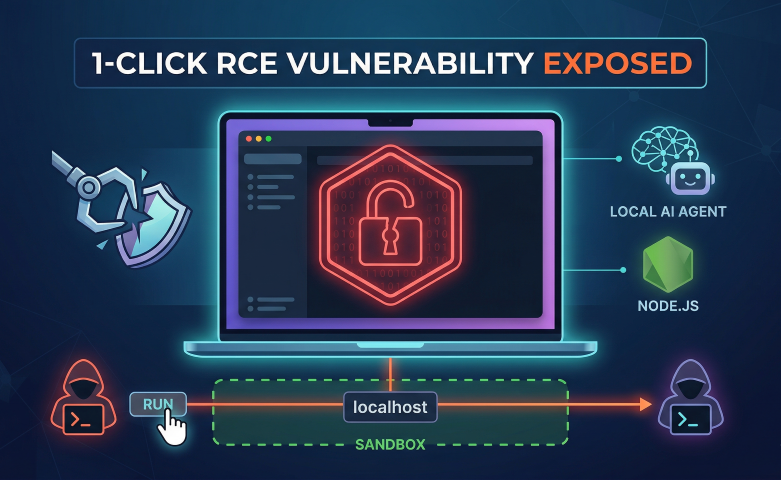
Localhost is Not a Sandbox: The 1-Click OpenClaw RCE Explained
The recent OpenClaw vulnerabilities are a massive wake-up call for the AI developer community. We break down how a simple missing WebSocket Origin check led to a critical 1-click Remote Code Execution (RCE) and how to bulletproof your local Node.js services using standard API security principles.
We all want AI agents that can automate our boilerplate, write code, and act autonomously. But when you give an agent access to your terminal, file system, and messaging apps, you are essentially running a highly privileged local server.
When we spend our days building robust API gateways and locking down cloud infrastructure, it is dangerously easy to assume localhost is a safe sandbox. The recent critical 1-click Remote Code Execution (RCE) in OpenClaw (CVE-2026-25253) just proved exactly why that assumption is a trap.
Let's break down exactly how a single click handed attackers full shell access, and more importantly, how to ensure we never write this bug ourselves.
The Anatomy of the Hijack
The root cause of this massive exploit wasn't some complex zero-day cryptographic failure. It was a textbook Cross-Site WebSocket Hijacking (CSWSH) attack caused by a missing basic check.
OpenClaw’s Control UI communicates with its local engine via WebSockets. To make authentication "easy," it accepted an authToken right from a URL parameter (gatewayUrl) and initiated the WebSocket handshake.
Here is how the attack played out in the wild:
- The Bait: An attacker hosts a malicious script on a seemingly innocent website (e.g., a tutorial blog or a disguised NPM package page).
- The Click: A developer running OpenClaw locally visits the site.
- The Pivot: The malicious website silently fires a JavaScript payload that attempts to open a WebSocket connection to
ws://localhost:<openclaw-port>. - The Execution: Because the local OpenClaw server completely ignored the
Originheader of the incoming request, it accepted the connection, grabbed the token, and allowed the attacker's script to execute arbitrary shell commands on the developer's machine.
Browser                 Attacker Site           Localhost               OS Shell
   |                          |                     |                      |
   | 1. Clicks link           |                     |                      |
   |------------------------->|                     |                      |
   |                          |                     |                      |
   | 2. Loads JS payload      |                     |                      |
   |<-------------------------|                     |                      |
   |                          |                     |                      |
   | 3. WS connection attempt (Origin ignored)      |                      |
   |----------------------------------------------->|                      |
   |                          |                     |                      |
   | 4. Connection Accepted   |                     |                      |
   |<-----------------------------------------------|                      |
   |                          |                     |                      |
   |                          | 5. Sends commands via hijacked WS          |
   |                          |-------------------->|                      |
   |                          |                     | 6. Executes RCE      |
   |                          |                     |--------------------->|
Security by Design: Fixing the Gateway
This is exactly why the OWASP API Top 10 isn't just for internet-facing cloud gateways. Security by design means implementing strict lifecycle validation from the very first line of code, even on local tools.
If you are building an application in Node.js that relies on WebSockets, you cannot rely on the browser's Same-Origin Policy (SOP). WebSockets bypass SOP by design. You must explicitly validate the origin on the server side during the HTTP upgrade phase.
Here is how to do it properly.
The Vulnerable Approach (Don't do this)
Many quick-start tutorials show WebSocket setups that automatically accept any connection:
// ❌ VULNERABLE: Blindly trusting all connections
const WebSocket = require('ws');
const wss = new WebSocket.Server({ port: 8080 });

wss.on('connection', function connection(ws) {
  ws.on('message', function incoming(message) {
    console.log('received: %s', message);
    // Execute command...
  });
});
The Secure Approach (Do this)
Applying DRY principles, we want a reusable, automated way to reject anything outside of our strict allowlist before the WebSocket connection is even established.
Using the ws package in Node.js, we intercept the upgrade event on the HTTP server:
// ✅ SECURE: Strict Origin Validation
const WebSocket = require('ws');
const http = require('http');

const server = http.createServer();
const wss = new WebSocket.Server({ noServer: true });

// Define exactly who is allowed to talk to this local service
const ALLOWED_ORIGINS = [
    'http://localhost:3000',
    '[https://my-secure-dashboard.com](https://my-secure-dashboard.com)'
];

server.on('upgrade', (request, socket, head) => {
    const origin = request.headers.origin;

    // 1. Check if the Origin header exists and is in our allowlist
    if (!ALLOWED_ORIGINS.includes(origin)) {
        console.warn(`🚨 Blocked CSWSH attempt from unauthorized origin: ${origin}`);
        // 2. Destroy the socket immediately. Do not pass go.
        socket.destroy();
        return;
    }

    // 3. If valid, proceed with the upgrade
    wss.handleUpgrade(request, socket, head, (ws) => {
        wss.emit('connection', ws, request);
    });
});

server.listen(8080, () => {
    console.log('Secure WebSocket server listening on port 8080');
});
By intercepting the connection at the upgrade level, we effectively build a micro-API gateway for our local service. If a malicious site tries to connect, its domain will be in the Origin header, our server won't recognize it, and the socket is instantly destroyed.
The Takeaway
Agentic development tools are the future, but we cannot automate away our security checks. A tool having access to your terminal is a massive productivity boost, but if that tool isn't built with security from the ground up, it's just malware waiting to happen.
Always validate your inputs, never trust an incoming local connection blindly, and remember: localhost is only as safe as the gateway you build for it.
Community Discussion
0 Comments
Found this helpful?
If you enjoyed this technical tale, consider supporting my work.